PcComponentes
Mon compte
producto
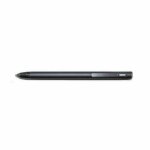
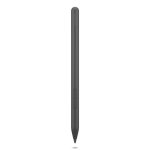
  • Stylet Lenovo 4X81P44052 Slim Pen Gris Sensibilité 4096 Pressions Magnétique
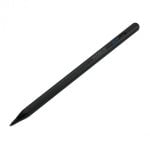
    • Stylet Lenovo 4X81P44052 Slim Pen Gris Sensibilité 4096 Pressions Magnétique
    • Stylet Lenovo 4X81P44052 Slim Pen Gris Sensibilité 4096 Pressions Magnétique
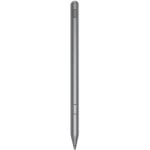
    • Stylet Lenovo 4X81P44052 Slim Pen Gris Sensibilité 4096 Pressions Magnétique
    chargement des images ...
    P/N: 4X81P44052Cod. Article: 11008023
    LenovoStylets Lenovo

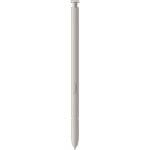
    Stylet Lenovo 4X81P44052 Slim Pen Gris Sensibilité 4096 Pressions Magnétique

    3,8/5
    42 Avis
    56,99€65,54€
    - 13%
    Prix le plus bas au cours des 30 derniers jours: 65,54€
    P/N: 4X81P44052Cod. Article: 11008023
    LenovoStylets Lenovo
    Le plus remarquable
    • Stylet haute précision pour PC portables : 4096 niveaux de pression, reconnaissance d'inclinaison pour effets de shading, compatibilité WGP/MPP/AES, recharge magnétique, léger et ergonomique pour longues sessions.
    56,99€65,54€
    - 13%
    Prix le plus bas au cours des 30 derniers jours: 65,54€
    Garantie de solution en 24h
    Gratuit
    Articles similaires
    56,99€65,54€
    - 13%
    Prix le plus bas au cours des 30 derniers jours: 65,54€
    Caractéristiques
    Avis42
    Questions et réponses0
    À propos du produit

    Transformez vos créations numériques grâce à la précision exceptionnelle du Lenovo 4X81P44052 Slim Pen, spécialement conçu pour une expérience fluide sur PC portable.

    Caractéristiques Stylet Lenovo 4X81P44052 Slim Pen

    Précision professionnelle et créativité instantanée. Le Lenovo Slim Pen offre jusqu'à 4096 niveaux de sensibilité à la pression, permettant un tracé naturel et précis, essentiel pour les designers, graphistes et techniciens cherchant un rendu proche du papier. La reconnaissance d'inclinaison avancée permet des effets de shading réalistes, parfaits pour le croquis ou la retouche détaillée.

    Compatibilité étendue et productivité optimisée. Ce stylet prend en charge plusieurs protocoles (WGP, MPP 2.0, AES 2.0, AES 1.0). Il est donc compatible avec une vaste gamme de portables Lenovo, assurant réactivité et flexibilité lors du passage d'un appareil à l'autre sans limitation matérielle.

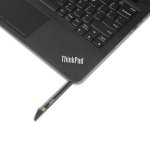
    Sécurité et mobilité améliorées. Sa connexion magnétique garantit un rangement sûr à portée de main. Léger (10,4 g) et ergonomique (diamètre 9,5 mm, longueur 131,9 mm), il s'adapte à une utilisation prolongée sans fatigue.

    Contrôle thermique et fiabilité. Conçu pour fonctionner entre 5 et 40 °C et dans des niveaux d'humidité variés, il vous accompagne partout sur le terrain ou en studio. Prêt à libérer votre créativité à tout instant ? Le Lenovo Slim Pen est l'accessoire de précision incontournable.

    Especificaciones Stylet Lenovo 4X81P44052 Slim Pen

    SpécificationDétail
    Compatibilité appareilsPortables Lenovo
    Protocoles pris en chargeWGP, MPP 2.0, AES 2.0, AES 1.0
    Sensibilité4096 niveaux de pression
    Connexion de chargeMagnétique
    CouleurGris
    Poids10,4 g
    Dimensions131,9 mm x 9,5 mm
    Nombre d'unités1
    Type d'emballageBoîte
    CertificationsFCC (EMC), IC (EMC), CE (EMC), CB, UKCA, SABS CoC, VCCI (EMC), KC (EMC)
    Température de fonctionnement5 à 40 °C
    Humidité de fonctionnement30–80 %

    FAQs - Stylet Lenovo 4X81P44052 Slim Pen

    Ce stylet est-il compatible avec d'autres marques de PC ?
    Non, il est spécifiquement optimisé pour les portables Lenovo intégrant les protocoles WGP, MPP 2.0, AES 2.0, AES 1.0. L'utilisation avec d'autres marques n'est pas garantie.

    Comment recharge-t-on le Lenovo Slim Pen ?
    Le stylet se recharge via un connecteur magnétique intégré sur l'appareil compatible, permettant une recharge rapide et un stockage sûr.

    À quoi servent les 4096 niveaux de pression ?
    Ils permettent une précision accrue pour dessiner, écrire et annoter, offrant une expérience la plus naturelle possible, similaire à celle du papier et du crayon.

    Le stylet est-il adapté aux longues sessions de travail ?
    Oui, son poids léger et son design ergonomique (diamètre de 9,5 mm) offrent un confort optimal même pendant des utilisations prolongées.

    Sécurité du produit

    Avis

    3.8
    42 Avis
    100%
    On recommande41 Recommandations
    • 5
      29
    • 4
      0
    • 3
      0
    • 2
      0
    • 1
      13

    Donnez votre avis

    Cela vous prendra une minute, vous aiderez les gens à prendre une décision.

    Avis des utilisateurs

    Total 41 avis

    En provenance d'autres pays

    K
    Kevin Mcilhany
    Il y a 2 ans
    Great Pen compatible with Yoga Book 9i Dual Screen [This review was collected as part of a promotion.] The Pen!!!! Finally, I have found the only real alternative pen for my recently purchased Yoga Book 9i dual screen laptop. The included pen (the digital v3) is fine, however, it is too fat fo...
    Publié originalement sur Lenovo-privatelabel
    A
    Andy Cormack
    Il y a un an
    Pen fault cap at end of pen came out when first opened and would not go back in so had to trim lugs off to get it back in so now drops out easy- dissapointing
    Publié originalement sur Lenovo-gb
    B
    Berserker62
    Il y a un an
    Return process good Pen unsuitable for my laptop. The return process was speedy and efficient.
    Publié originalement sur Lenovo-gb
    D
    Dalton Leatham
    Il y a un an
    Great on the go laptop [This review was collected as part of a promotion.] The X1 2 in 1 has been everything that I need. I work remotely in the field pretty frequently this has been nice to transition form tablet to computer. It is light weight and durable. I have enjoyed the keyboard and biometr...
    Publié originalement sur Lenovo-privatelabel
    A
    Angie_298
    Il y a un an
    Disappointing Performance [This review was collected as part of a promotion.] I’ve encountered several issues with this device. When I fold the screen back, it often glitches and struggles to recognize whether it’s in tablet or computer mode. Occasionally, the screen goes completely black, and it’...
    Publié originalement sur Lenovo-privatelabel
    D
    Derek B
    Il y a 2 ans
    Guess How It Works (Spent hours searching on line) Well made but let down by lack of documentation. A user guide giving even basic User Information would be very nice. Basics how do I know when it needs recharding etc. I only found out by accident that their is an app built in wimdows 11.
    Publié originalement sur Lenovo-gb
    R
    RelativeMeh
    Il y a un an
    It good [This review was collected as part of a promotion.] It works well and magnetically attaches to my laptop
    Publié originalement sur Lenovo-privatelabel
    M
    Marek Zurflueh
    Il y a un an
    Please refund I hope I can get my refund because I realy need a e-pen for school, for the whole semester I allready have to use my finger to write on One-Note
    Publié originalement sur Lenovo-ch
    E
    Eyhan
    Avis le plus utile
    Il y a un an
    Pencil-Like Tip [This review was collected as part of a promotion.] This has a pencil-like tip. I searched for days to find a pen that did not have a soft tip. I have a paper-like screen protector from Via-screens, and I can now use one-note on my computer with the haptic feedback of a pencil in m...
    Publié originalement sur Lenovo-privatelabel
    T
    Tynkare
    Il y a un an
    Great Pen with a great feel [This review was collected as part of a promotion.] The pen works great on the Lenovo Yoga 9i dual screen with no software downloads, it just works out of the box and feels great in your hand.
    Publié originalement sur Lenovo-privatelabel
    D
    Dena M
    Il y a 9 mois
    Our go to! [This review was collected as part of a promotion.] Lenovo is our go to for computers for our business
    Publié originalement sur Lenovo-privatelabel
    A
    Angie_298
    Il y a un an
    Disappointing Performance [This review was collected as part of a promotion.] I’ve encountered several issues with this device. When I fold the screen back, it often glitches and struggles to recognize whether it’s in tablet or computer mode. Occasionally, the screen goes completely black, and it’...
    Publié originalement sur Lenovo-privatelabel
    D
    Derek B
    Il y a 2 ans
    Guess How It Works (Spent hours searching on line) Well made but let down by lack of documentation. A user guide giving even basic User Information would be very nice. Basics how do I know when it needs recharding etc. I only found out by accident that their is an app built in wimdows 11.
    Publié originalement sur Lenovo-gb
    R
    RelativeMeh
    Il y a un an
    It good [This review was collected as part of a promotion.] It works well and magnetically attaches to my laptop
    Publié originalement sur Lenovo-privatelabel
    M
    Marek Zurflueh
    Il y a un an
    Please refund I hope I can get my refund because I realy need a e-pen for school, for the whole semester I allready have to use my finger to write on One-Note
    Publié originalement sur Lenovo-ch
    Avis vérifié
    Notre label « avis vérifié » garantit que cet avis appartient à l'utilisateur qui a acheté le produit sur notre site web. Nous vérifions l'authenticité des achats et des avis correspondants afin de garantir que les avis ainsi étiquetés sont exacts et fiables.
    Charger plus d'avis

    Questions et réponses

    Il n'y aucune question pour le moment. Soyez le premier !