

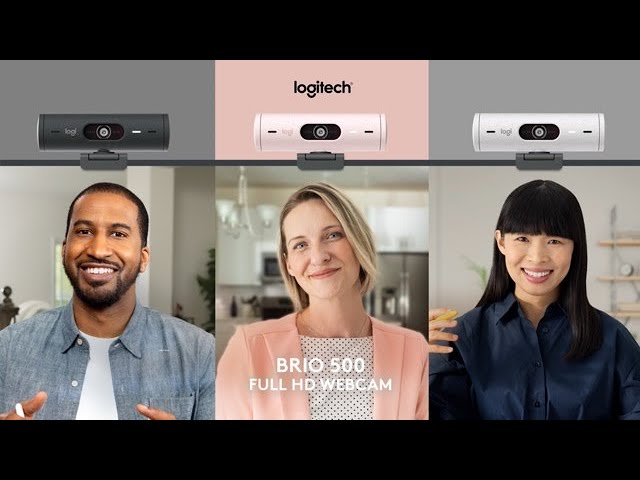


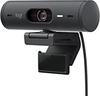
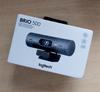
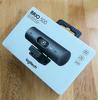
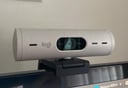
Logitech Brio 500 Webcam FullHD Grafito
- FullHD 1080p-resolutie en autofocus
- Dual noise-cancelling microfoons
- Automatische lichtcorrectie met RightLight 4
- Privacy shutter voor optimale beveiliging
- USB-C plug-and-play, breed compatibel
- 90 graden kijkhoek en 4x digitale zoom


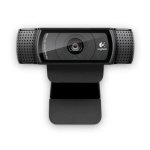
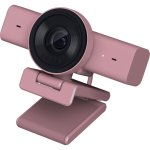
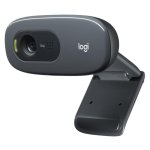
Ervaar professionele videokwaliteit en helder geluid met de Logitech Brio 500 webcam, ontworpen voor veeleisende gebruikers die geen concessies willen doen aan beeld en audio tijdens videomeetings, streaming of contentcreatie.
Kenmerken Logitech Brio 500 Webcam
FullHD 1080p-resolutie zorgt voor scherpe, natuurgetrouwe beelden, ideaal voor professionele presentaties, online lessen of live streaming. Dankzij RightLight 4 past de webcam zich automatisch aan verschillende lichtomstandigheden aan, van weinig licht tot direct zonlicht, zodat je altijd optimaal zichtbaar bent.
Met autofocus en RightSight automatische kadrering blijf je altijd perfect in beeld, zelfs als je beweegt of opstaat tijdens een meeting. De dual noise-cancelling microfoons filteren achtergrondgeluid, waardoor je stem helder doorkomt, zelfs in rumoerige omgevingen.
De 90 graden kijkhoek biedt flexibiliteit: toon meer van je omgeving of focus op jezelf. Met de Show-modus kantel je de camera eenvoudig naar beneden om documenten of objecten op je bureau te delen, ideaal voor presentaties of productdemonstraties.
De geïntegreerde privacy shutter beschermt je privacy tussen meetings door de lens fysiek af te schermen. Dankzij de USB-C plug-and-play aansluiting is installatie snel en eenvoudig op Windows, macOS en Chrome OS. Compatibel met Microsoft Teams, Zoom, Google Meet en meer.
De Logitech Brio 500 is duurzaam ontworpen met gerecycled plastic (68% in grafiet), gecertificeerd CO2-neutraal en FSC-gecertificeerd verpakt. Upgrade je werkplek en ervaar het verschil in beeld en geluid – kies voor de Brio 500 en maak direct indruk in elke online omgeving.
Specificaties Logitech Brio 500 Webcam
| Specificatie | Detail |
|---|---|
| Resolutie | 1080p/30fps, 720p/60fps |
| Megapixels | 4 MP |
| Autofocus | Ja |
| Lensmateriaal | Glas |
| Microfoon | Dual stereo, noise-cancelling, tot 1,22 m bereik |
| Kijkhoek (FOV) | 90° / 78° / 65° (instelbaar) |
| Digitale zoom | 4x |
| Privacy shutter | Geïntegreerd |
| Aansluiting | USB-C, plug-and-play |
| Compatibiliteit | Windows 8 of hoger, macOS 10.10 of hoger, Chrome OS |
| Certificering | Microsoft Teams, Zoom, Google Meet, Chromebook |
| Afmetingen camera | 31,5 x 110 x 31,5 mm |
| Afmetingen met clip | 51,5 x 110 x 45 mm |
| Kabel | 1,5 m vast |
| Gewicht (met clip en kabel) | 121 g |
| Materiaal | 68% gerecycled plastic (grafiet) |
| Inhoud verpakking | Brio 500 webcam, montageclip, handleiding |
FAQs - Logitech Brio 500 Webcam
1. Werkt de Brio 500 met alle videobelplatforms?
Ja, de Brio 500 is compatibel met vrijwel alle gangbare platforms zoals Microsoft Teams, Zoom, Google Meet en werkt direct met Windows, macOS en Chrome OS.
2. Hoe werkt de automatische lichtcorrectie?
Dankzij RightLight 4 past de webcam automatisch de belichting aan, zodat je altijd helder zichtbaar bent, ongeacht de lichtomstandigheden in je ruimte.
3. Kan ik de kijkhoek en zoom aanpassen?
Ja, via Logi Tune software kun je het gezichtsveld instellen op 90°, 78° of 65° en tot 4x digitaal zoomen voor optimale framing.
4. Hoe bescherm ik mijn privacy?
De geïntegreerde privacy shutter draai je eenvoudig voor de lens wanneer je de webcam niet gebruikt, zodat je zeker weet dat je niet zichtbaar bent.
Productveiligheid
Reviews
- 588
- 414
- 33
- 21
- 11
Review schrijven
Wat onze gebruikers vinden
Sterke punten
- Zeer goede beeld- en geluidskwaliteit
- Plug & play, eenvoudige installatie
- Uitgebreide aanpassingsmogelijkheden
- Handige automatische lichtcorrectie
Verbeterpunten
- Beeldkwaliteit bij weinig licht kan beter
- Autofocus op korte afstand soms traag

Gebruikersreviews
- Meest relevant
- Nieuwste eerst
- Oudste eerst
Uit andere landen
- Diseño atractivo, múltiples configuraciones

- Cámara muy buena, mucha calidad. Deslizable para cerrar la cámara facil y buen audio.

- Sujección de la cámara con el imán.
- Trae cable conexión USB C así que no hay problema de conexión.
- Es bastante plug & play
- Sin descuento creo que merece más la pena otro tipo de cámara de calidad superior 4K, o un ordenador potente con una buena tarjeta gráfica.
- Una vez arrancada, funciona de maravilla
- primer arranque obligatorio con Windows
- Ocupa muy poco espacio asi que es facil ubicarla sobre el monitor. El mecanismo de ajuste al monitor es excelente, el mejor que he probado.
- El software de encuadre automático no funciona en linux.
- Calidad de imagen
- Todavía 1080p a 30 HZ
- Funcional, robusta, eficiente.
- Material reciclado é mais sustentável mas tem aspeto menos atrativo.
- resolucion y contraste de blancos
- el sistema de fijacion al monitor no va todo lo fino que debiera, lleva adhesivo y si tu monitor tiene acabado rugoso, no pega bien. al margen del problema de cambiarlo.
- Más ángulo de visión

- Calidad de imagen. Cierre de la cámara y el software para su manejo con muchas opciones para ajustar la imagen
- calidad de imagen
- precio

- Buena calidad y precio acorde
- Necesidad de software casi imprescindible


