


KVM Switch Startech SV431DPUA 4-poorts DisplayPort USB Hub Audio
- Beheer tot 4 systemen met 1 DisplayPort-monitor
- Geïntegreerde USB 2.0-hub voor randapparaten
- Ondersteunt 7.1 HD digitaal en 3,5 mm audio
- Maximale resolutie tot 3840 x 2400 pixels
- Compact, robuust ontwerp met stalen behuizing
- Hot-plug en plug-and-play compatibel
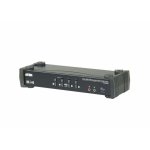
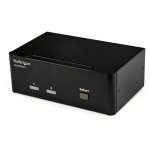
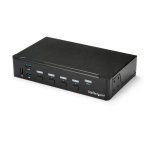
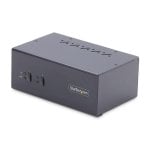
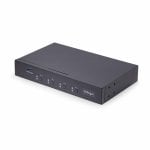
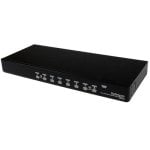
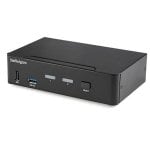

Optimaliseer je werkplek met de Startech SV431DPUA KVM Switch: beheer tot vier krachtige systemen met slechts één set randapparatuur en een DisplayPort-monitor.
Kenmerken KVM Switch Startech SV431DPUA
Efficiënt multitasken – Wissel razendsnel tussen vier computers dankzij de fysieke knoppen of handige sneltoetsen. Ideaal voor IT-professionals, content creators en technische gebruikers die maximale controle eisen.
DisplayPort-beeldkwaliteit – Geniet van haarscherpe resoluties tot 3840 x 2400 pixels en ondersteuning voor 2560 x 1600 bij 60 Hz. Perfect voor medische beeldvorming, grafisch ontwerp en high-end werkstations.
Geïntegreerde USB 2.0-hub – Deel eenvoudig twee USB-randapparaten, zoals printers of scanners, tussen alle aangesloten systemen. Geen dubbele hardware meer nodig.
Audioflexibiliteit – Ondersteunt zowel 7.1 HD digitaal DisplayPort-audio als analoge 3,5 mm in- en uitgangen. Wissel moeiteloos tussen digitale en analoge audio, afhankelijk van je setup.
Compact en robuust – De stalen behuizing en het compacte ontwerp met achteraansluitingen besparen ruimte en verhogen de duurzaamheid. Rackmontage is mogelijk met optionele accessoires.
Universele compatibiliteit – Werkt met Windows- en Mac-systemen, inclusief ondersteuning voor Mini-DisplayPort-adapters (bijvoorbeeld MacBook). Hot-plug en plug-and-play maken installatie eenvoudig.
Wil je maximale efficiëntie en flexibiliteit in je professionele omgeving? Kies dan voor de Startech SV431DPUA en ervaar directe controle over meerdere systemen zonder concessies te doen aan beeld- of geluidskwaliteit.
Specificaties KVM Switch Startech SV431DPUA
| Specificatie | Detail |
|---|---|
| Aantal computers | 4 |
| Consolepoorten | DisplayPort, 3,5 mm audio, USB A |
| Maximale resolutie | 3840 x 2400 pixels |
| Ondersteunde resolutie (digitaal) | 2560 x 1600 @ 60 Hz |
| USB-hub | Ja, USB 2.0 (2 poorten) |
| Audio-ondersteuning | 7.1 HD digitaal, 3,5 mm analoog |
| Bediening | Frontknoppen, sneltoetsen |
| Afmetingen (b x d x h) | 220,7 x 130,6 x 44 mm |
| Gewicht | 1,1 kg |
| Materiaal behuizing | Staal |
| Voeding | Extern, 12 V / 1,5 A (110-240 V AC) |
| Compatibele stekkers | AU, EU, UK, US (Type M) |
| Bedrijfstemperatuur | 0 - 40 °C |
| Opslagtemperatuur | -20 - 60 °C |
| Relatieve luchtvochtigheid | 0 - 80% |
| LED-indicatoren | Ja |
| Certificeringen | CE, FCC, UL, VESA, CEA, RoHS |
| Rackmontage mogelijk | Ja, met optionele kit |
FAQs - KVM Switch Startech SV431DPUA
1. Kan ik zowel Windows- als Mac-systemen aansluiten?
Ja, deze KVM Switch ondersteunt zowel Windows- als Mac-computers. Dankzij de compatibiliteit met Mini-DisplayPort-adapters is hij ook geschikt voor MacBooks.
2. Ondersteunt het apparaat hot-plug en plug-and-play?
Absoluut. Je kunt systemen aansluiten of loskoppelen zonder de KVM of computers opnieuw op te starten, wat zorgt voor maximale flexibiliteit.
3. Kan ik digitale en analoge audio tegelijkertijd gebruiken?
Ja, de switch ondersteunt zowel 7.1 HD digitaal DisplayPort-audio als afzonderlijke 3,5 mm analoge audio-ingangen en -uitgangen, zodat je flexibel kunt schakelen.
4. Is rackmontage mogelijk?
Ja, met een optionele 1U rackmount kit kun je de KVM Switch eenvoudig in een serverrack plaatsen voor een professionele installatie.
Productveiligheid
Reviews
- 50
- 44
- 30
- 20
- 13
Review schrijven
Gebruikersreviews
- Meest relevant
- Nieuwste eerst
- Oudste eerst


